3 min
Tab bars, drawers, and headers are navigation
Pull the tab bar, the drawer, or the header and the app has nowhere to send you. That is navigation, as far as the screens I review go.
Every React Native app has to answer the same two questions: where am I, and where can I go next. That chrome is navigation — not decoration, not a late polish pass. It is the spine the rest of the product hangs on.
Screens come and go. The map has to stay readable. When it does not — wrong branch, missing back, destinations that vanish behind a keyboard — the product feels unfinished no matter how good the rest of the UI is.

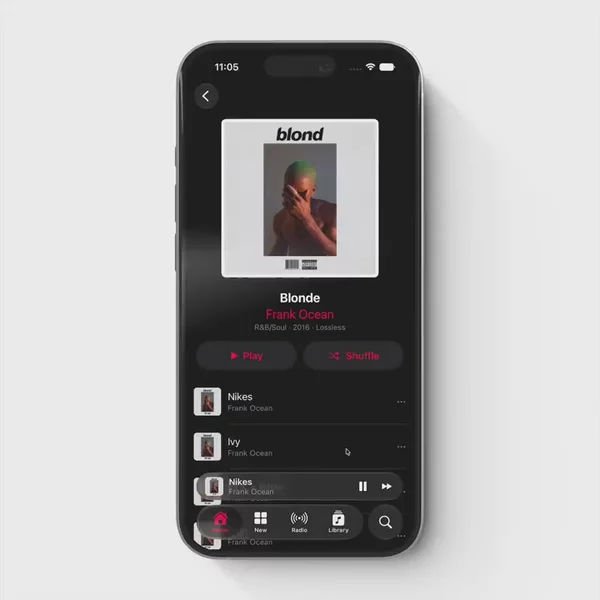

Core chrome, short map
Tab bar. App-level destinations that stay with you: Home, Search, Profile. Usually a bottom edge. The user should reach a main branch without opening a menu first.
Drawer. The same destination map, tucked behind a gesture or a hamburger. Better when the list is long, or when Android-style side menus are the product language. Same job as a tab bar. Different chrome.
Header. Where you are, plus how you leave. Title, back, close, sometimes search. When the header lies — wrong title after a deep link, back that pops the wrong stack — the screen feels broken even if the body is fine.
Tabs. Sections inside one screen, not a whole-app map. Swipeable or tappable slices of one route. Cousin of the tab bar, not a synonym.
Segmented control. A local mode switch — Day / Week / Month — that does not claim a new destination. Smaller than tabs. Still wayfinding.
Footer. Secondary links at the bottom of a long scroll: legal, settings, "see all." Not a new app branch. Still moves people.
Pagination. Next page through a dense list or catalog. Role first, list second — the control that advances the sequence, not the row itself.
Why this family sits together
You can ship a beautiful screen and still lose the user if the map is wrong. Tab bar versus drawer is a product choice. Header versus no header is a product choice. Those choices belong in one place when you are hunting for references, not scattered under "layout" and "menus" and "lists."
I already wrote a facet post about the tab bar. That helps when you know you want a tab bar. It does not help when the ticket only says "menu," or when you remember a sliding panel and cannot remember the tag. The Navigation group is the map. Facet posts are the zooms.
Finding the chrome is still the hard part
You already know the app needs a spine. The second problem is remembering which preview had the tab bar that survived the keyboard, or the drawer that did not fight the header. You remember the motion. You do not remember the package name.
This is the shelf
Everything I keep for that wayfinding job lives in the Navigation group on Components. New tab bars, drawers, headers, tabs, segmented controls, footers, and pagination land there whenever I find them.