3 min
Blur on headers, sheets, and button presses
Frost on the header. Frost on the sheet. Frost on the press. That request has not slowed down.
People keep sending the same ticket. Frost the header. Soften the sheet. I tag every blur I find, because the request has not cooled off in months.


A backdrop is not a blur animation
expo-blur gives you BlurView. On iOS it is a system material. Intensity from 1 to 100. Reanimated can tick that number, so the frost can come in. On Android the same component used to be a tint. In current Expo it is stable, but you still wrap the thing you want frosted in a BlurTargetView and point the BlurView at it. Skip that, and you get a veil, not a blur.
When the frost should arrive with a scroll or a press, animate the intensity instead of swapping views. On iOS this is the usual pattern:
const AnimatedBlurView = Animated.createAnimatedComponent(BlurView);

const intensity = useSharedValue(0);
const animatedProps = useAnimatedProps(() => ({
  intensity: intensity.value,
}));

<AnimatedBlurView tint="dark" animatedProps={animatedProps} style={StyleSheet.absoluteFill} />;
Set intensity.value = withTiming(60) from the scroll handler or the press, and the frost fades in instead of popping.
That is one job. A header. A tab bar. A modal that should not hide the screen behind it. The progressive blur header is the softer version: the frost fades in toward the top instead of stopping at a hard edge.
A Skia Blur is a different job. It is an image filter. You draw, then you soften. Fine for a glow, a smear, a card that melts. It is not UIVisualEffectView. You can tell them apart the moment they move.
Then there is the tap. Hold, and the background goes soft. Release, and it snaps back. Same word. Different stack. Under the hood it is usually the same animated intensity from above, driven by onPressIn and onPressOut on a Pressable instead of a scroll offset. The trick is timing: the frost has to land before the finger lifts, or the press feels late.
I tag the ones that have blur in them
A blur component. A blur animation. A blur interaction. I do not split those into three catalogs. The person asking for frost does not care which noun I used in the dashboard. They care that the video looks like the thing in their head.
Every week someone is building a paywall, a sheet, a glass header. They want to see how other people did the frost, then they want to steal the feel. A blurred header transition shows the part a screenshot hides: when the frost starts, and how fast it arrives.
If what you actually want is the refracting iOS 26 material, that is glass, not blur, and the Liquid Glass post is the better start.
Decide the job, then the frost
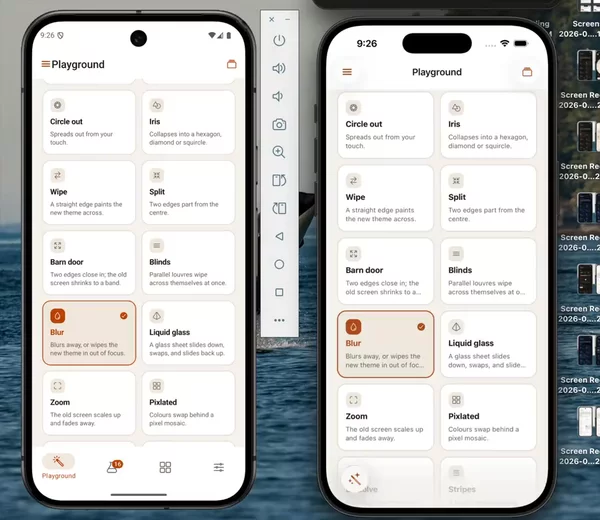
Backdrop, filter, or press. Pick which one your screen needs, then watch the ones that do it in the Blur filter.