4 min
Lottie fits designed motion you play, scrub, or loop
A designer hands you an After Effects file instead of a spec. Lottie is how that file plays inside the app without a rebuild in code.
Should this animation be Lottie? Use it when a designer made the motion and your code only needs to play it, loop it, or scrub it. Think empty states, success checks, and onboarding illustrations. If the motion has to react to state or follow a finger, the answer moves elsewhere.
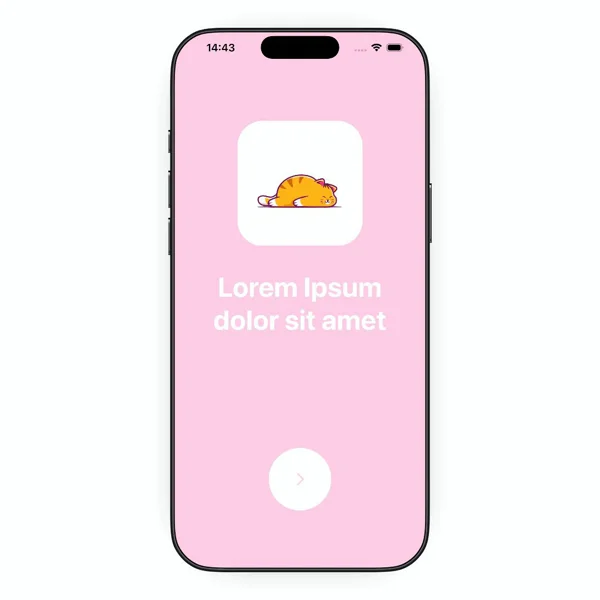
Onboarding with lottie animations
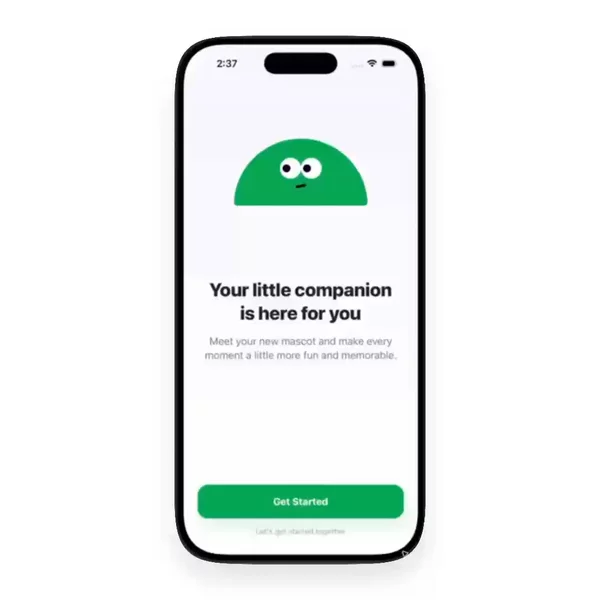
Lottie mascot animation
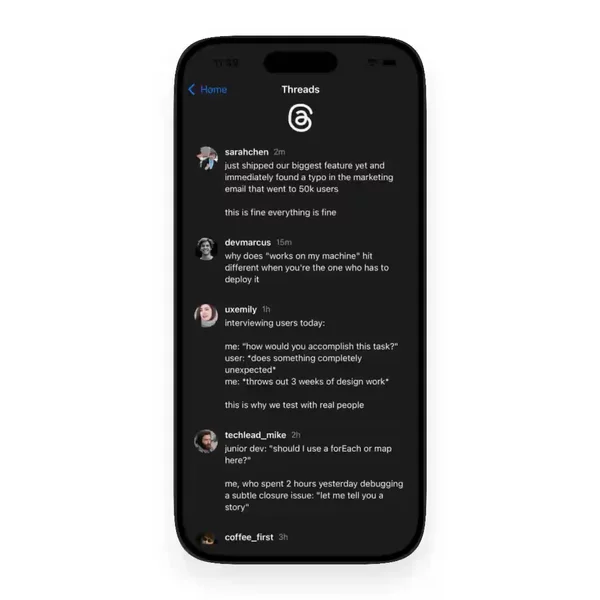
Threads logo pull to refresh animation
Cuberto onboarding screen

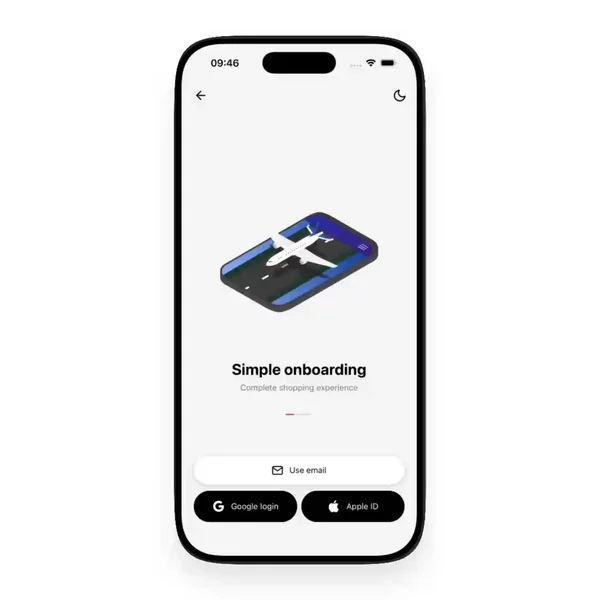



A Lottie file is a recording, not a component
Lottie renders After Effects animations exported as JSON. In React Native, lottie-react-native hands that JSON to the native players on iOS and Android. You do not rebuild the motion in code. You ship the file and a LottieView plays it.
That is the whole React Native Lottie tradeoff. The motion is exact, because the designer's timeline is the source of truth. It is also closed. You can recolor layers by keypath with colorFilters, but the timeline stays the designer's. If the shape needs to change, the file changes.
Not every After Effects feature survives the export. The Lottie team keeps a supported features list, and a layer that silently disappears on device is usually on it.
Progress is the one knob that matters
Most Lottie screens use three controls. autoPlay and loop cover the decorative case. The imperative API covers the triggered one: play(30, 120) runs a frame range, so one file can hold an idle loop and a success burst.
The interesting control is progress. It takes a value from 0 to 1 and can be driven by an animated value. That turns a recording into something you can scrub. Tie it to a scroll offset and the illustration follows the onboarding pager. Tie it to a pull gesture and the refresh mark draws itself as you drag. A Threads logo pull to refresh animation is the pattern to look at.
Progress is also the limit. It is one number along one timeline. A character that blinks, then waves, then switches outfits based on app state is three timelines and a state machine. Lottie can fake that with frame ranges. It gets brittle fast.
Where Rive and Reanimated take over
The split comes down to who owns the logic.
- Lottie when the designer owns the timeline. Linear or scrubbed playback, a file that came out of After Effects, no runtime branching.
- Rive when the animation owns its own states. Rive files carry state machines and inputs, so the branching lives inside the asset instead of in your frame math.
- Reanimated when the code owns the motion. Layout changes, springs, and gesture-following UI are styles on real views. There is no file to export, and nothing to swap when the design changes.
The wrong call usually shows up late. A loader built in Reanimated that marketing wants redrawn every quarter belongs in a file. A Lottie that needs five frame ranges and a lookup table wants to be a Rive state machine.
Check the setup before you copy a snippet
The current lottie-react-native requires React Native 0.84 or newer and the New Architecture. Older apps stay on the 7.3.x line. .lottie files, the dotLottie format, need one Metro change: add lottie to resolver.assetExts. On Expo, npx expo install lottie-react-native picks the version that matches your SDK.
If the animation has to live inside a canvas with other drawing, React Native Skia ships its own Lottie renderer, Skottie. The graphics post puts that next to the other engines.
File size is the last check. A JSON export carries every keyframe, and embedded images ride along with it. Look at the bundle before you put a full-screen animation on a cold-start path.
Watch the motion before you pick the file
Lottie is a judgment about motion, and motion is hard to judge from a code sample. A Lottie mascot animation is the format's sweet spot: a character a designer drew, not one you coded. Watch the timeline run before you decide whether yours should be a file at all.