3 min
Native surfaces: the lock screen, the island, and the share sheet
A Live Activity, an Apple Pay sheet, a home screen widget, a share sheet. Your app appears in all of them without being open, and none of them is a normal React Native screen.
Some of your app's UI never appears inside your app. It sits on the lock screen while a ride is on its way. It slides up from the bottom when someone pays. It waits on the home screen as a widget. I group those places as native surfaces, because they share one property: React Native can feed them data, but it does not draw them.

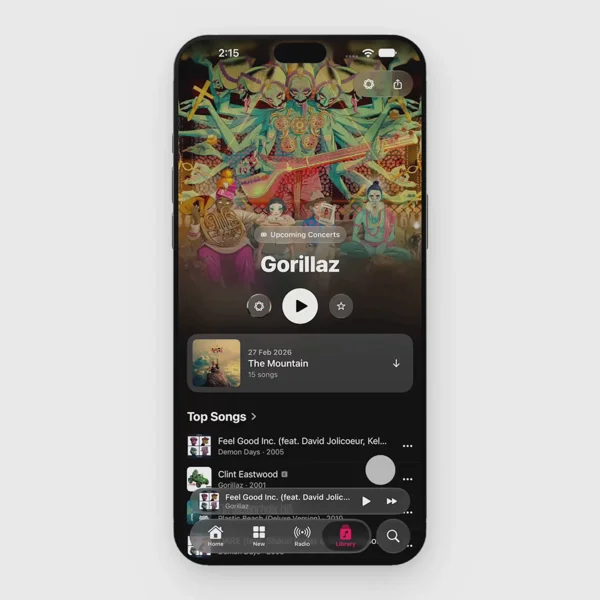

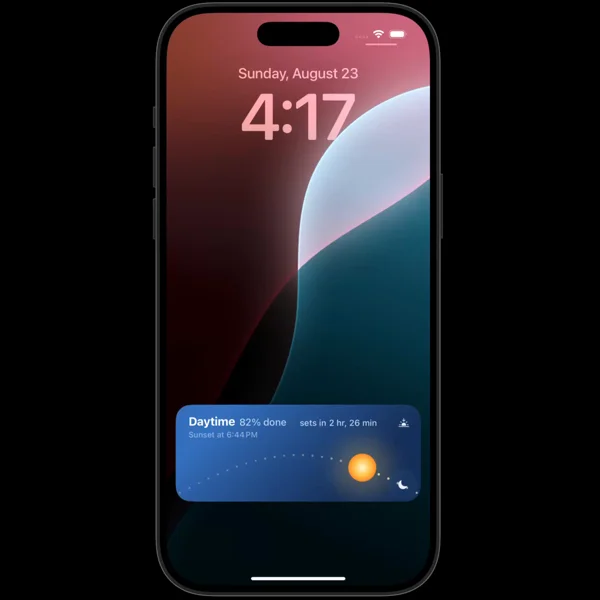
1. Live Activities and the island are SwiftUI
On iOS, a Live Activity shows on the lock screen and in the Dynamic Island while something is in progress: a delivery, a match, a timer. Under the hood it is SwiftUI code in an app extension, and React Native only sends it state. Apple's Live Activities guidelines describe the layouts for each placement.
Android has no feature by that name. The closest equivalent is a promoted ongoing notification, which recent Android versions surface more prominently for rides and deliveries.
The Android live activity block is a take on that idea for the other platform.
The island's in-app imitations are a separate pattern, and the Dynamic Island blocks show both kinds side by side.
2. Apple Pay is a system sheet you trigger
The payment sheet with the card, the double click, and Face ID belongs to Apple. Your app shows the official button, prepares the payment request, and handles the result. In React Native that usually goes through a payments SDK, such as Stripe's, which renders the platform button and presents the sheet. You cannot restyle the sheet, and that is the point: users trust it because it always looks the same.
What you can design is everything around it, the moment before and after. The Apple Pay sensor gradient animation is a good example of decoration that lives next to the real button rather than replacing it.
3. Rich notifications reach both platforms
Notifications with images, action buttons, and expanded layouts work on iOS and Android, and each platform draws them its own way. On iOS, custom layouts need a notification content extension, native code again. The payload you send decides most of what the user sees, so the work is as much server-side as in the app.
4. The share sheet is one function call
Sharing hands your content to the system. React Native's Share API opens the platform sheet with a message, and on iOS a URL. Neither platform lets you restyle that sheet, which keeps it familiar. Your only real decision is what you put in it: a short link with a good preview beats a long block of text.
5. Widgets are a separate small app
Home screen widgets exist on both platforms and are built natively, with WidgetKit on iOS and Android's widget APIs on the other side. They read data your app writes to shared storage and refresh on the system's schedule, not yours. Plan the data first, then the layout.
The common thread is the hand-off
Every surface here asks the same thing: React Native prepares data and calls the system, and the system draws. That is different from the native primitives you render inside your own screens, which the Expo UI post covers.