3 min
A number can tick four different ways
Animated, Reanimated, Skia, or a native view. I have watched the same number tick all four ways, and they are not one animation.
I was tagging number transitions and kept landing on the same four runtimes. Native. Skia. Reanimated. The Animated API. I was not hunting for a missing stack. I was sorting ones that were already there.
Numeric text transitions for iOS and Android
Line chart with animated numbers
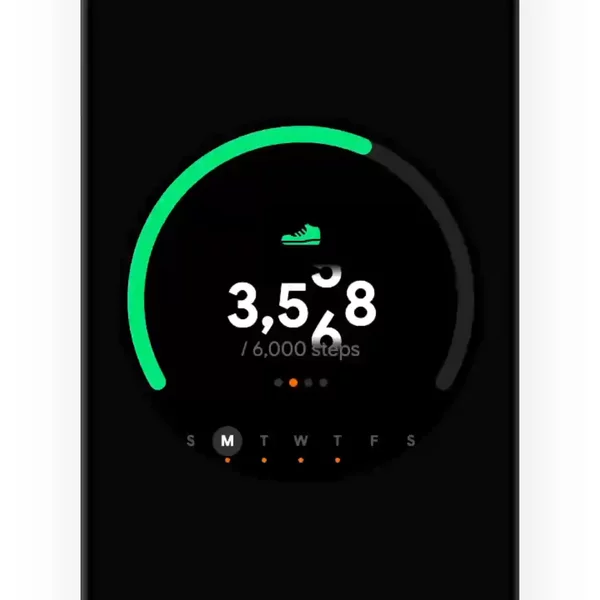
Step counter number flow
Number scroll transition







The first snippet does not tick the digits
This is the first thing I see, and the first thing I used to write:
const n = useRef(new Animated.Value(0)).current

Animated.timing(n, {
  toValue: 1284,
  duration: 800,
  useNativeDriver: true,
}).start()
useNativeDriver: true will not write a <Text> child. The native driver does not animate text content. You turn it off, you round n on the JS thread, and the digits jump: 1283, then 1284. No reel. No per-digit spring. A stats pill and a slot-machine odometer both fail the same way.
That is most of the confusion around React Native number animation. People search for one effect. They get four runtimes.
The four stacks do not share a renderer
The Animated API is the built-in. It is the right first try for a progress label that just has to arrive. Once the digit itself has to move, you are on the JS thread, and a busy screen will show it.
Reanimated keeps the interpolation on the UI thread. The usual trick is a read-only TextInput whose text prop is driven from a worklet, so the label updates without a React render:
const AnimatedTextInput = Animated.createAnimatedComponent(TextInput);

function Counter({ value }: { value: SharedValue<number> }) {
  const animatedProps = useAnimatedProps(() => {
    const text = String(Math.round(value.value));
    return { text, defaultValue: text } as TextInputProps;
  });
  return <AnimatedTextInput editable={false} animatedProps={animatedProps} />;
}
That fixes the frame rate, not the look. The digits still swap whole. A reel, where each digit rolls on its own column, is a layout of its own, which is what a rolling counter is built around.
React Native Skia is the other kind of control. The digit is a glyph you paint. You own the typeface, the blur, the way an 8 becomes a 9. You also own the fact that it is not a Text node. Accessibility and system font scaling are your problem unless the author wired them.
Native is the opposite trade. A system label or a platform ticker already knows how to draw a number. You do not own the paint. You also do not own next year's type ramp.
A balance on a wallet screen, a step count, a checkout total, a live viewer count — they can all want a different one of those. An amount counter and a step counter can look alike in a screenshot. Watch them move before you pick the stack.
I was sorting, not filling a hole
You remember a number that rolled instead of jumped. You do not remember the repo, and a screenshot of 1,284 cannot show the tick.
Numbers rarely ship alone. Most of the ones I tag sit on a chart header or a price line, and the chart post covers that half of the screen.
Decide whether you need a reel, a glyph, or a system label before you open anything. Then watch the candidates tick side by side in the Number filter.